
MerryBet Nigeria app for Android and iOS
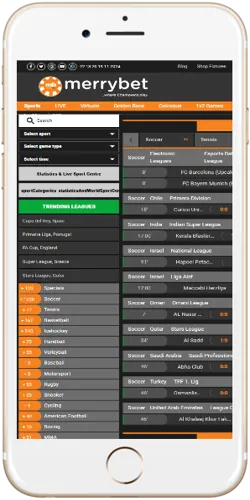
The MerryBet Nigeria Android APK weighs 12.71 MB, requires Android 4.4 or higher, and installs directly from the MerryBet website without going through the Google Play Store. iOS users access the full platform through the mobile browser, which loads the same bet builder, live odds and casino lobby as the Android app. Both routes support Naira deposits from NGN 100 and withdrawals to OPay or Kuda.
System requirements and app size
Before downloading the MerryBet Nigeria APK, check that your Android device meets the minimum requirements. The app runs on Android 4.4 and above, which covers virtually all smartphones sold in Nigeria since 2015, including budget devices popular in Lagos markets and Kano phone shops. You also need at least 40 MB of free internal storage for the APK plus its runtime files, though the download file itself is 12.71 MB. iOS 11 or later is required to use the MerryBet mobile web app on iPhone or iPad.
 Android app
- Android 4.4 or higher
- File size: 12.71 MB
- Storage needed: 40 MB
- Source: MerryBet website APK
- Unknown sources must be enabled
- Free to download and install
 iOS mobile browser
- iOS 11 or higher
- No download required
- Works on Safari and Chrome
- Add to Home Screen supported
- Full feature parity with Android
- Free to use
- All Android phones from 2015 onward
- iPhone 6s and newer
- Android and iOS tablets
- Low-RAM budget phones (1 GB+)
- Tecno, Infinix, Samsung, iPhone
- No PC client available
- Works on 3G, 4G and Wi-Fi
- 2G supported for basic betting
- Live betting needs 4G or Wi-Fi
- Live casino needs stable 4G
- Data usage: approx 5 MB per session
- MTN, Airtel, Glo, 9mobile all supported
How to install the MerryBet APK on Android
Installing the MerryBet Nigeria APK takes under two minutes on most Android phones. The process differs slightly from installing via Google Play because you are sideloading the file directly, which is standard practice for Nigerian betting apps that are not listed in the Play Store. On newer Android versions (8.0 and above), the system asks for permission per app rather than a global switch, so you grant install permission once during setup and the toggle resets afterward for security.
- Open your phone's Settings, go to Security or Privacy, and enable "Install from unknown sources" or "Allow from this source" for your browser.
- Visit the MerryBet Nigeria website on your Android browser and tap the Download App button.
- Wait for the 12.71 MB APK file to finish downloading. It appears in your notifications bar when ready.
- Tap the downloaded file. Android will ask you to confirm the install — tap Install.
- Once installed, open the app, log in with your existing account or register a new one directly inside the app.
If you see a "Parse error" during install, the APK file did not download completely. Delete it, check your mobile data connection and try again. Tecno and Infinix devices running older Android forks sometimes require you to clear the Downloads folder before retrying. On Samsung Galaxy devices running One UI 5 or later, the permission prompt appears at the point of install rather than in settings, which is actually faster than the old method.
Uninstalling and reinstalling does not delete your account or balance. Your MerryBet account lives on the server, not on the device, so a fresh install on a new phone simply requires logging in again. This is worth knowing for players in Port Harcourt and Abuja who switch devices regularly or share phones with family.
What the app includes
The MerryBet Nigeria app covers the full product, not a stripped-down mobile version. Sports betting, live in-play markets, casino slots, crash games and Evolution live dealer tables are all available inside the same app. The live betting section updates odds in real time during NPFL matches, Premier League fixtures and AFCON qualifiers, with markets like Asian handicap, BTTS and next goalscorer refreshing every few seconds. The app also supports the cashout feature, so you can close a bet early if the match turns against you before the final whistle.
Pre-match and live betting on 30 plus sports. NPFL, Premier League, CAF Champions League and AFCON all covered with 1X2, handicap and BTTS markets.
Close open bets early when the app is running. Available on selected live and pre-match markets. Cashout value updates in real time during the event.
Aviator by Spribe (97% RTP), JetX by SmartSoft, Zeppelin and Chicken Road 2 load inside the app without redirecting to a browser tab.
200 plus titles from Pragmatic Play and PG Soft. Gates of Olympus (96.5% RTP) and Fortune Tiger (96.81% RTP) are among the most played by Nigerian users.
Evolution Lightning Roulette (97.3% RTP), Infinite Blackjack (99.51% RTP) and Speed Baccarat available 24 hours a day inside the app.
Deposit and withdraw in Naira via OPay, Kuda, PalmPay, Paga and Flutterwave without leaving the app. Minimum deposit NGN 100.
App versus mobile browser: which is better
The Android app and the mobile browser version of MerryBet Nigeria carry the same feature set, but they differ in speed and convenience. The app launches faster after the first install because it caches interface assets locally, so you skip the full page reload you get in Chrome or Safari. On a slow 3G connection, that difference is noticeable: the app typically renders the sports lobby in under 2 seconds, while the browser version may take 4 to 6 seconds on a weak MTN signal. For iOS users, the mobile browser is the only option since there is no dedicated iOS app, but Safari on iPhone 12 or newer handles the site well at normal 4G speeds.
| Feature | Android app | iOS mobile browser |
|---|---|---|
| Download required | Yes, 12.71 MB APK | No |
| Launch speed (4G) | Under 2 seconds | 4 to 6 seconds |
| Push notifications | Yes | No |
| Sports betting | Full | Full |
| Casino and crash games | Full | Full |
| Live casino | Full | Full |
| In-app deposits NGN | Yes | Yes |
| Cashout feature | Yes | Yes |
| Minimum Android/iOS | Android 4.4 | iOS 11 |
The one practical advantage the app has over the browser is push notifications. The app sends alerts for bet settlements, odds changes on live markets and promotional offers, which you do not get passively in a browser tab. For a Nigerian player following an NPFL match from Kano while commuting, that real-time alert is genuinely useful. Browser users can replicate some of this by bookmarking the site and checking manually, but it is not the same.